 Scannera
Private Document Scanner
Scannera processes your scans on your own phone. Capture, enhancement, text recognition, annotation and PDF export all run locally, there is no account to create, and cloud backup is something you switch on rather than something that happens to you.
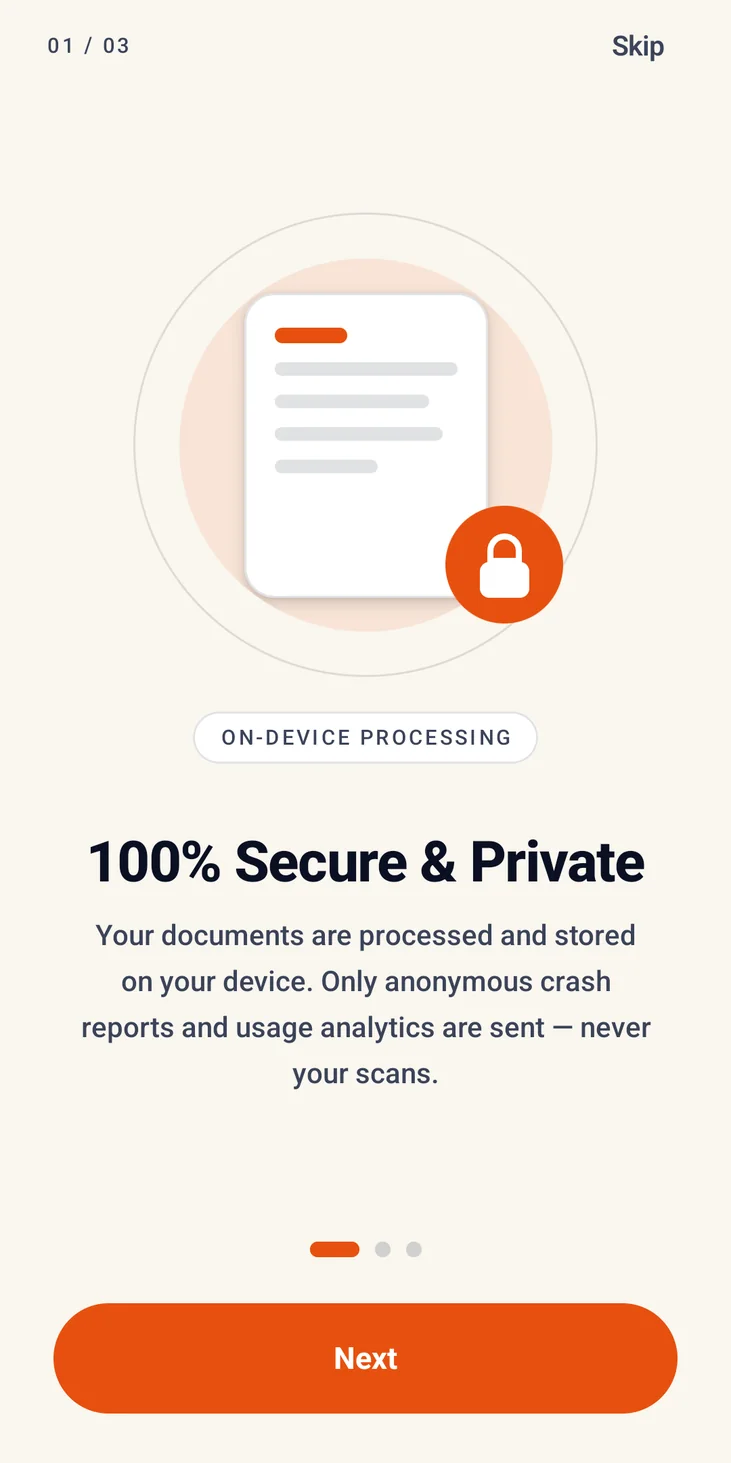
A document scanner designed for privacy
Think about what actually ends up in a scanning app. Passports and driving licences. Tax forms. Medical letters. Bank statements. Contracts with names and figures in them. The paperwork worth digitising is almost always the paperwork you would least like to hand to a stranger.
Plenty of scanning apps treat that material as something to be uploaded: processed on a server, stored in an account, tied to an email address. Scannera is built the other way round. The processing happens on the phone that took the picture, there is no account to create, and there is no Scannera server holding your documents, because one was never built.
What that leaves is an app that behaves like a tool rather than a service: your files sit in your device's own storage under Android's application sandbox, and they stay there until you export them, back them up deliberately, or delete them. Uninstalling the app clears its local files, cached data and settings from the device.
Your scans are processed on your device
Not “encrypted in transit”, not “deleted after 24 hours”, simply never sent in the first place.
Scanning
The camera feed is processed in memory on the device as you frame the shot. It is not recorded or transmitted anywhere.
Image processing
Edge detection, perspective correction, shadow removal and the five image filters all run locally on your phone's own hardware.
Text recognition
OCR uses a model bundled inside the app, so pages are read on the device. There is more on how that works and where its limits are on the OCR scanner page.
Annotation and signing
Drawing, highlighting, text, shapes, notes and signature placement happen in the app. Signatures you save stay in your device's own library.
PDF export
Pages are assembled into a PDF and written to your device. The finished file goes only where you choose to send it. See the PDF scanner page for that workflow.
QR and barcode reading
Codes are decoded on device as the camera sees them, and generated QR codes are built inside the app. Their contents are not indexed or stored elsewhere.
No account required
There is no registration screen. No email address, no password, no profile, no phone number, and no “continue with” button before you can scan something. Install the app and the camera is ready.
That is worth more than the convenience. An account is the thing that links a pile of documents to a person, and gives a company a reason to keep them. With no account, there is no user record to attach your scans to in the first place.
The only place a sign-in appears at all is Google Drive backup, and only if you choose to switch it on, and that signs you in to your own Google account, not to Scannera.
Works offline
Because the processing is local, the whole scanning workflow runs with the network off. Capture, edge detection, filtering, OCR, annotation, signing, watermarking and PDF export all work in airplane mode, which is both a convenience and a fairly direct demonstration that the work really is happening on your phone.
The offline document scanner page goes step by step through what runs locally and how that compares to cloud-based scanning.
Optional Google Drive backup
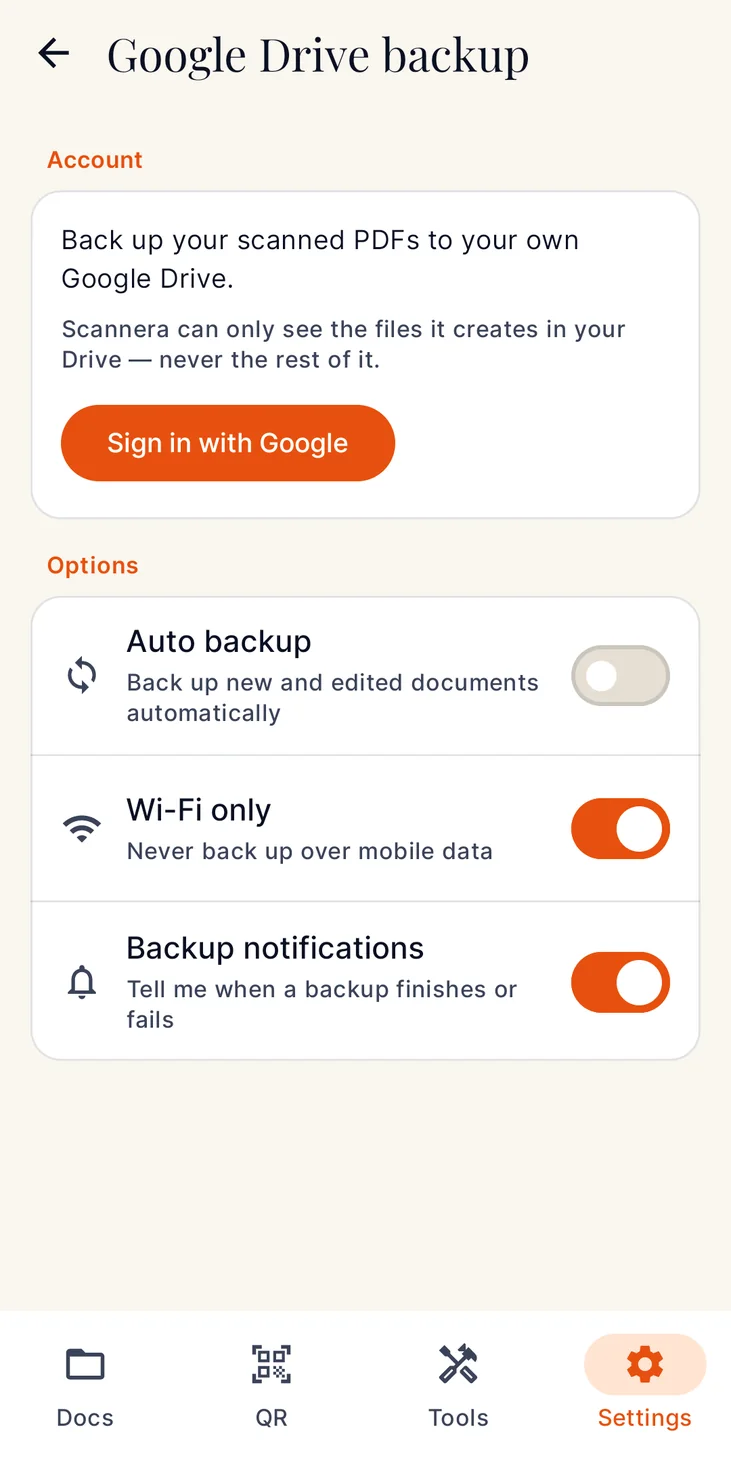
The one feature that deliberately sends your documents somewhere. Here is exactly how it behaves.
- It is optional. Scannera works completely without it.
- It is off by default. Nothing is backed up unless you turn it on yourself.
- You control it. Automatic backup and Wi-Fi-only transfer are both settings you choose.
- Files go to your own Google Drive. They are synced between your device and your personal Google account. Scannera's developers do not receive, store or have access to your Google credentials or your backed-up files.
- Access is limited. Scannera requests access only to the files it creates in your Drive, so it cannot see the rest of your Drive.
- It uses the internet. This is a cloud feature, and it needs a connection to sync. Turning it on means your PDFs travel to Google's servers under your own account.
Files backed up this way stay in your Drive until you manage or delete them through your Google account. The full description is in the privacy policy.
When Scannera does use the internet
An app that claimed never to touch the network would be easy to write and untrue. Scannera connects in exactly three situations, and none of them involves the contents of your documents:
- Google Play Billing. Verifying the one-time Pro purchase. Payments are handled entirely by Google Play, and Scannera does not collect or store card details, banking credentials or billing addresses.
- Google Drive sync. Only when you have enabled backup, as described above.
- Diagnostics. Anonymous crash reports and usage analytics (crash logs, hardware model, Android version) used to fix problems across different devices. This contains no document content and no location data.
Everything else runs with the radio off.
App Lock
Keeping documents off the internet does not help much if anyone holding your unlocked phone can open them. App Lock closes that gap: switch it on and Scannera requires your device screen lock (PIN, pattern, password or fingerprint) before it will open.
It uses Android's own authentication rather than a separate Scannera passcode, so there is no additional secret to set up, remember or lose, and the check is handled by the system rather than by the app.
What can you scan?
There are dedicated capture modes for documents, agreements, ID cards, driving licences, green cards, passports and business cards: the formats where getting the crop and the proportions right actually matters.
Privacy, answered
Are my scanned documents uploaded anywhere?
Not in normal use. Scanning, image processing, text recognition, annotation and PDF export all happen on your device. The one exception is Google Drive backup, which is off by default; when you enable it, your PDFs are copied to your own Google account and nowhere else.
Do I need an account to use Scannera?
No. There is no registration, no email address, no password and no profile. Install the app and start scanning. A Google sign-in appears only if you choose to turn on Drive backup, and that signs you in to your own Google account rather than to Scannera.
Is Google Drive backup on by default?
No. It is optional and off until you switch it on. You also control whether backups happen automatically and whether they are restricted to Wi-Fi. When enabled, files go to your own Google Drive, and Scannera requests access only to the files it creates there.
Does Scannera ever use the internet?
Yes, in three places, none of which involves the contents of your documents: verifying the one-time Pro purchase through Google Play, syncing Google Drive backup if you have enabled it, and sending anonymous crash reports and usage analytics. That diagnostic data contains no document content and no location data.
Can I lock the app itself?
Yes. App Lock requires your device screen lock (PIN, pattern, password or fingerprint) before Scannera will open. It uses Android's own authentication rather than a separate passcode, so there is no extra secret to set up or lose.
What happens to my documents if I uninstall Scannera?
Uninstalling removes the app's local files, cached data and settings from your device. Anything you exported elsewhere, or backed up to your own Google Drive, stays where you put it and is managed through your Google account.
Does Scannera sell or share my data?
No. Scannera does not sell, rent or trade personal data or document content. The only third-party services involved are Google Play Billing for purchases and the Google Drive API for backups you have chosen to enable.
Can I use Scannera completely offline?
Yes. With Drive backup left off, the entire scanning workflow (capture, correction, filtering, OCR, annotation, signing, watermarking and PDF export) runs in airplane mode.
Your paperwork is nobody else's business.
Install Scannera for Android and scan without handing your documents to a server.